
From receipt to disposition, every sample accounted for.
LabMission runs the complete clinical sample lifecycle with guided workflows, live chain-of-custody, and a triage pattern that auto-advances clean work and routes exceptions to the right person.
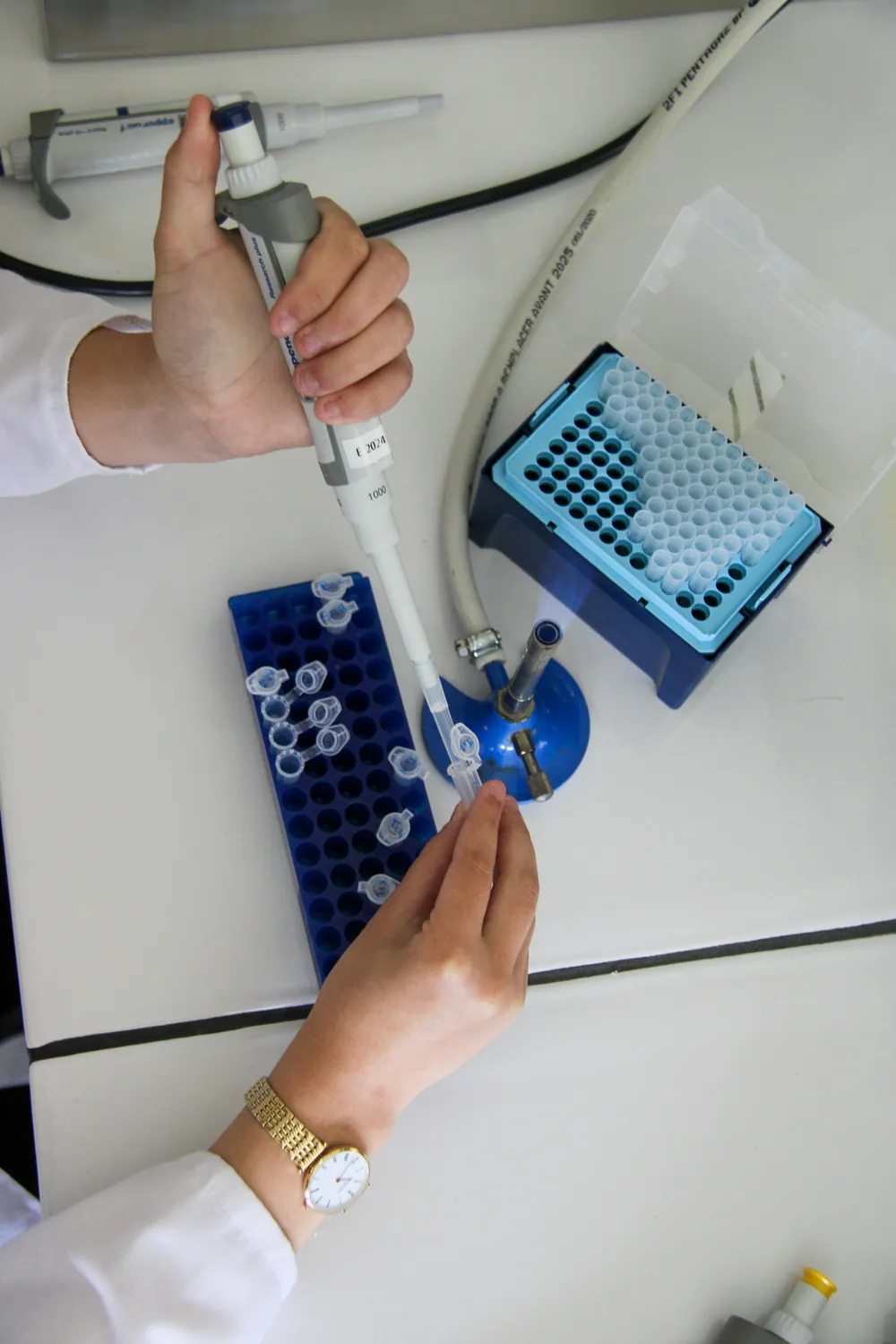
A guided workflow for every stage.
Each stage is gated, attributable, and audit-logged — no step happens off-system.
- 01Manifest inExpected samples arrive before the parcel does
- 02ReceiveFour gates: manifest, parcel, scan, validate
- 03Accession & labelEvery tube scanned to a named operator
- 04StoreSite, freezer, shelf, rack, box, position
- 05Move & trackTransfers with approvals and custody hand-off
- 06Request & useA catalogue scientists can search and request from
- 07ReturnBack into storage, condensed into open boxes
- 08DispositionDestroy, retain or deplete, with sign-off
- An audit event, written by the system
- A reason for every change
- An e-signature where it matters
- Chain of custody, per sample
Reception wizard
A four-gate intake — manifest, parcel inspection, barcode scanning, and validation — captures shipment details, condition checks, and sign-offs before anything is accepted.
Barcode scanning
Live operator scanning timestamps every sample to a named operator, satisfying the Attributable principle from the first touch.
Tracking
Search and filter samples across their lifecycle status and storage hierarchy — always know where a sample is and what state it's in.
Distribution
Inter-freezer, inter-site, and inter-study movements run through approval chains with SLA deadlines and custody hand-off.
Reconciliation
Expected-vs-actual counts and field mismatches surface for guided resolution, each correction captured with a reason-for-change.
Disposition
End-of-study destroy, retain, or deplete decisions with custodian sign-off, optional two-person authorization, and linked evidence documents.
A control room for your sample operation.
The dashboard surfaces the day's work and the system's health so managers act on exceptions, not spreadsheets.
- Morning briefing of today's incoming shipments
- Distribution gap indicator catches sample imbalances
- Review queue for pending approvals with exception flags
- System status panel for component health and queued records
Sample Management, screen by screen
Each screen below is the running application, taken from the role journeys we record against every build.
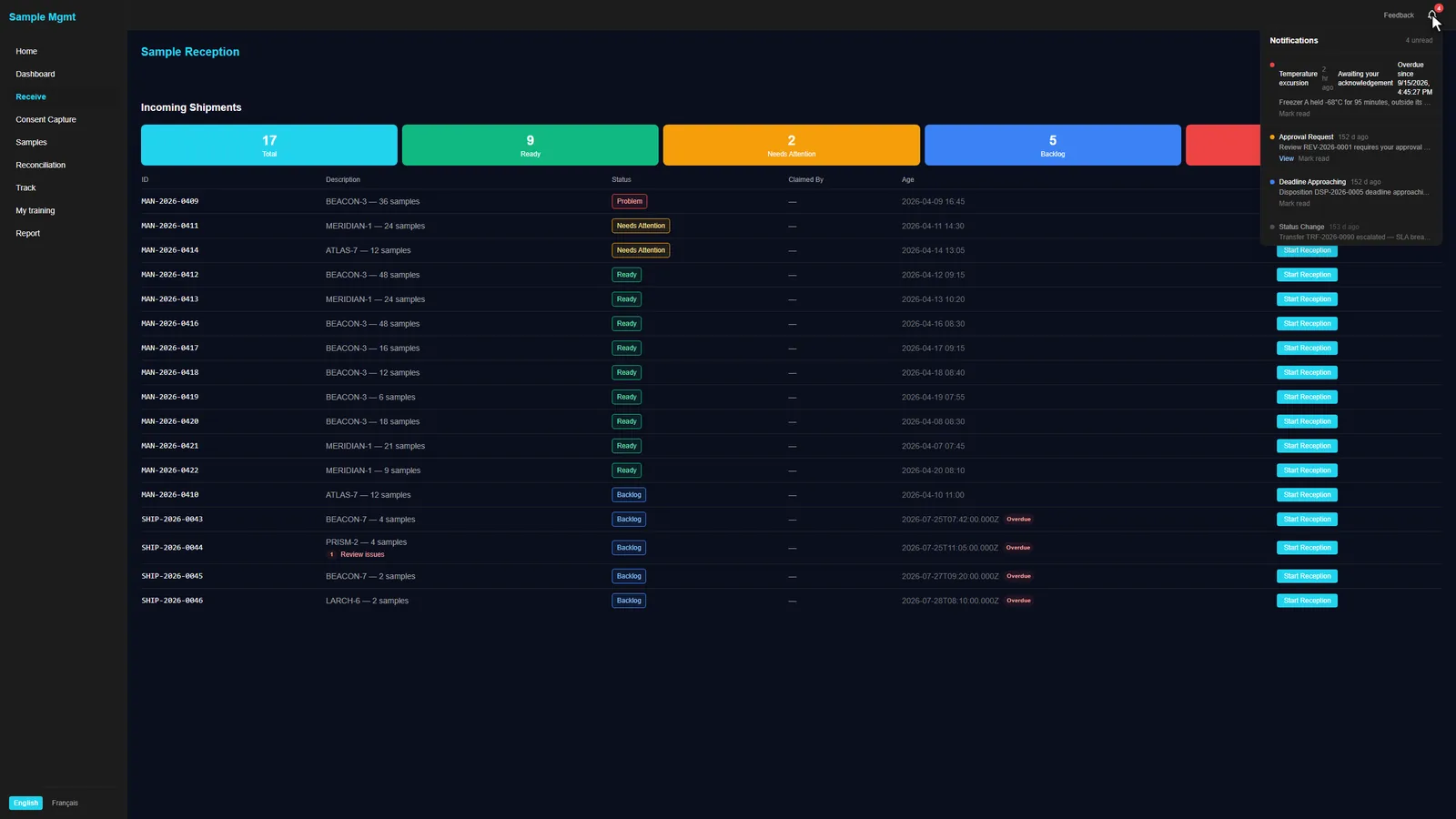
The day starts on what needs attention
Incoming shipments arrive triaged. Clean manifests are ready to receive; the ones with a problem say what it is, and notifications point at work waiting on you.
- Expected arrivals from manifests and courier feeds
- Temperature excursions and approvals in the same inbox
Every tube scanned into its place
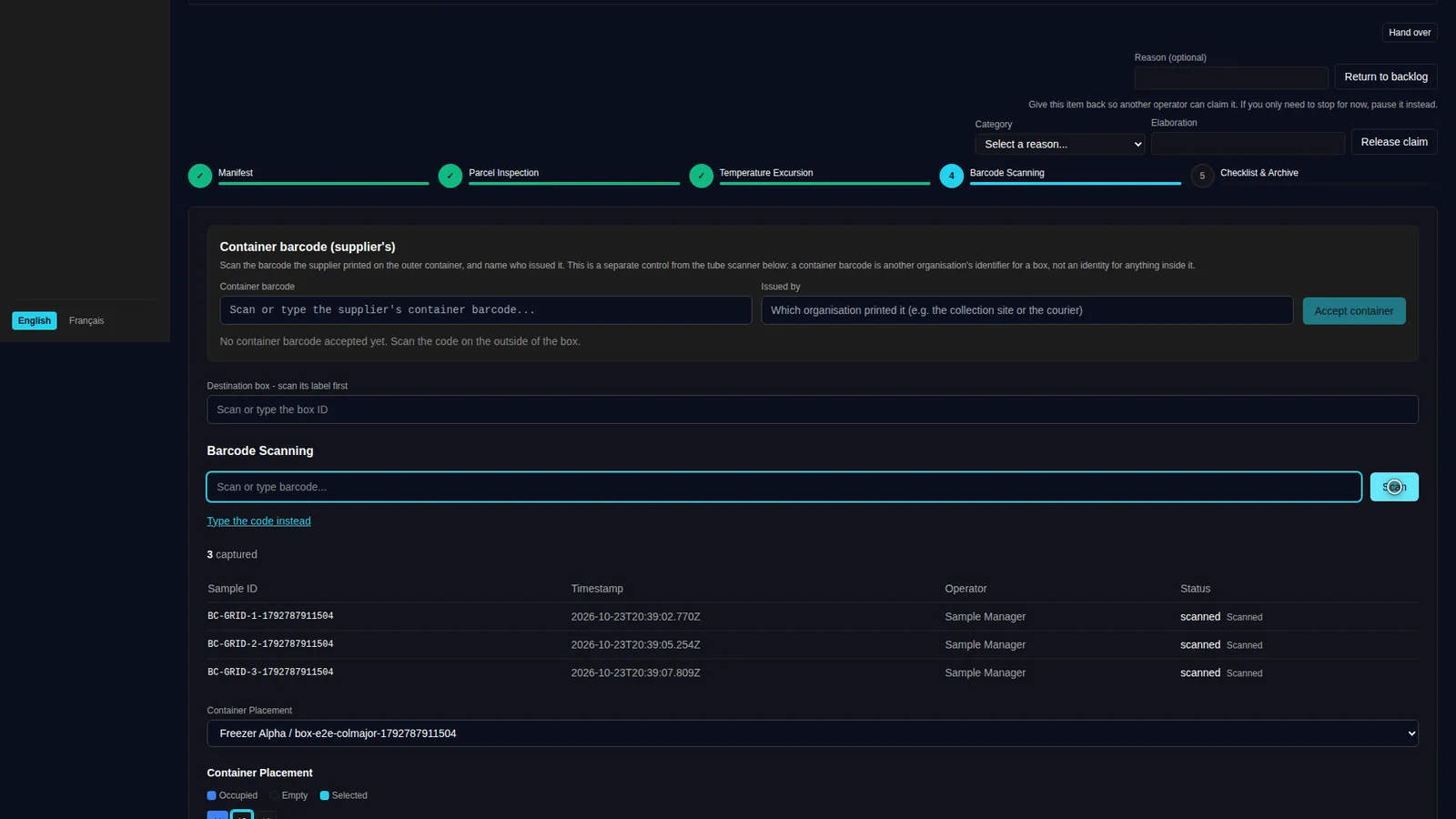
The reception wizard walks the parcel through its gates. Scanning a box and its tubes fills positions in order, each scan time-stamped to the operator who made it.
- Manifest, parcel, temperature, scan and validate
- Overages and shortages named at the barcode gate
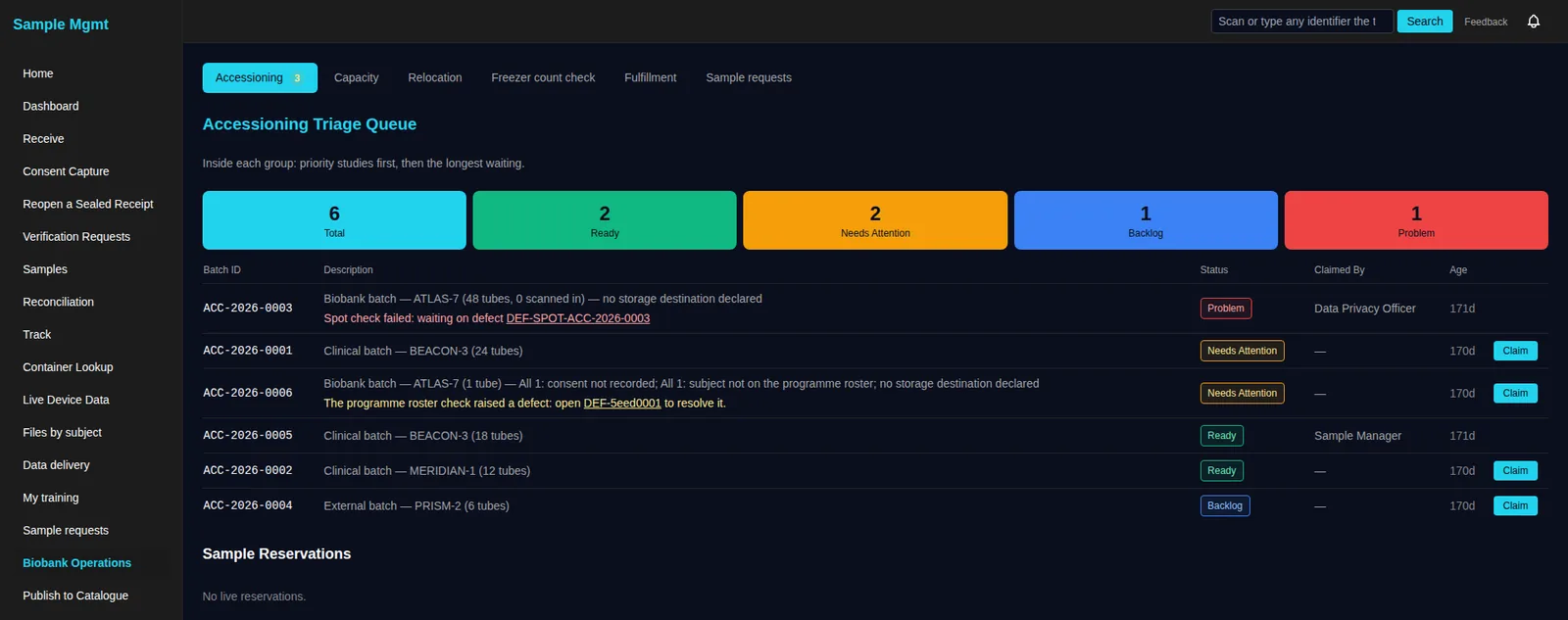
Work arrives as a queue someone can claim
Batches wait in a triage queue: priority studies first, then the longest waiting. A failed spot check or a missing consent opens a defect and names it on the row.
- Claim a batch so two people never work it at once
- Problems carry their defect, one click away
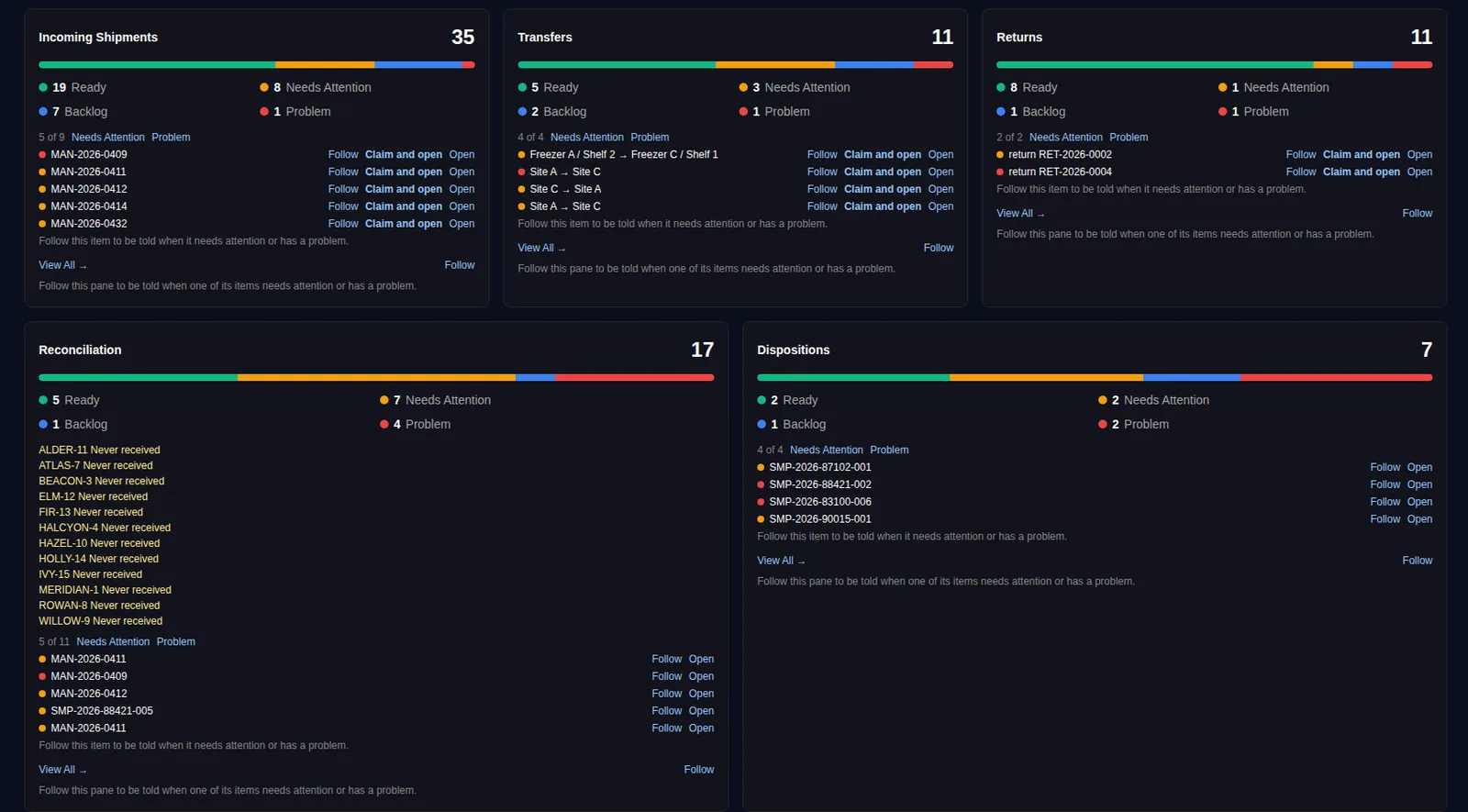
Every queue, one screen
A lab manager sees shipments, transfers, returns, reconciliation and dispositions together, each with its counts and the items to follow, claim or open.
- Follow an item or a whole pane to be told when it changes
- Panes switch on and off per study and per site
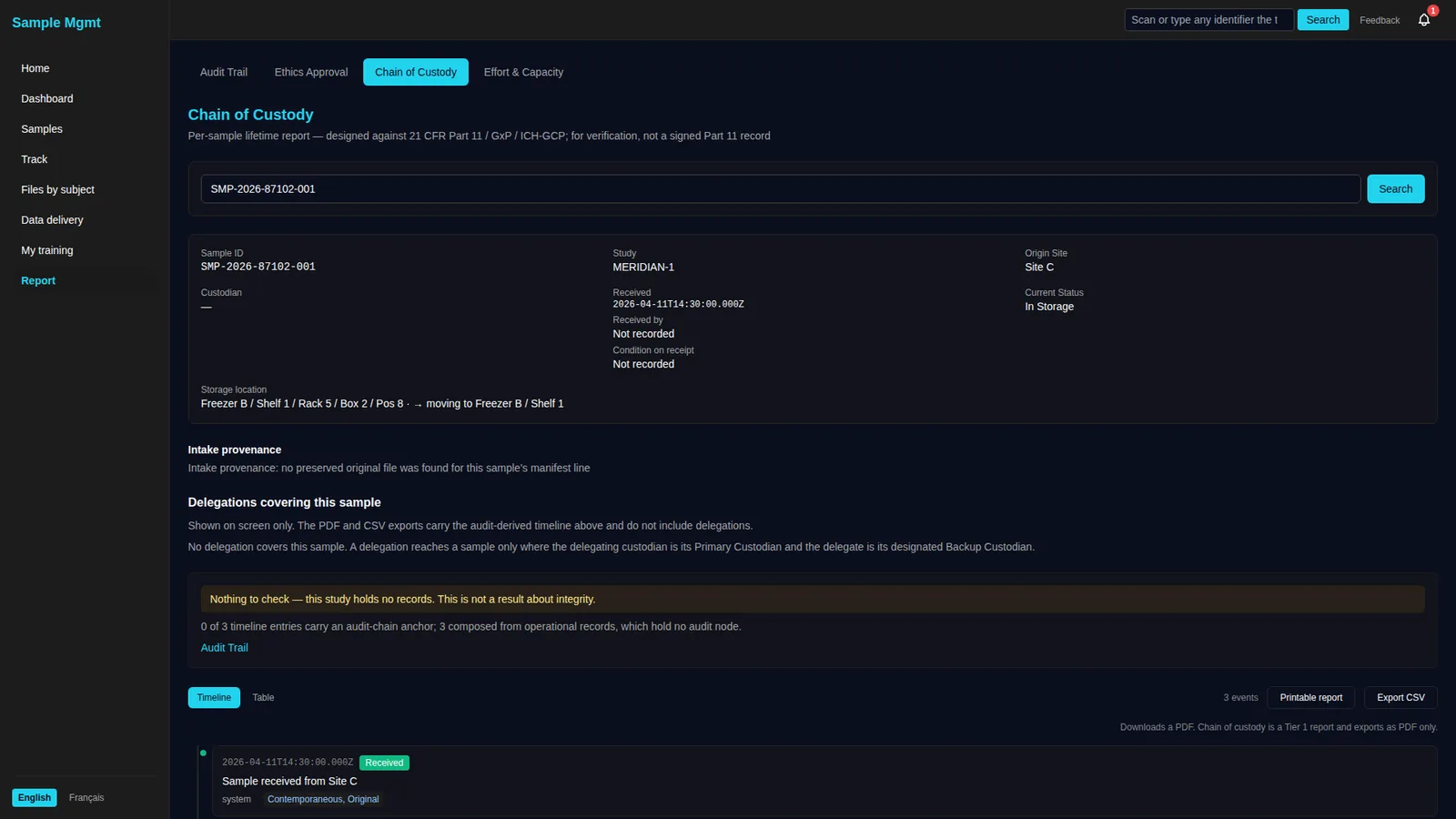
A sample's whole life, in one report
Search a sample and read where it came from, where it is, who held it and what happened to it, as a timeline or a table, exportable for an audit.
- Storage location down to the box position
- Printable report and CSV export
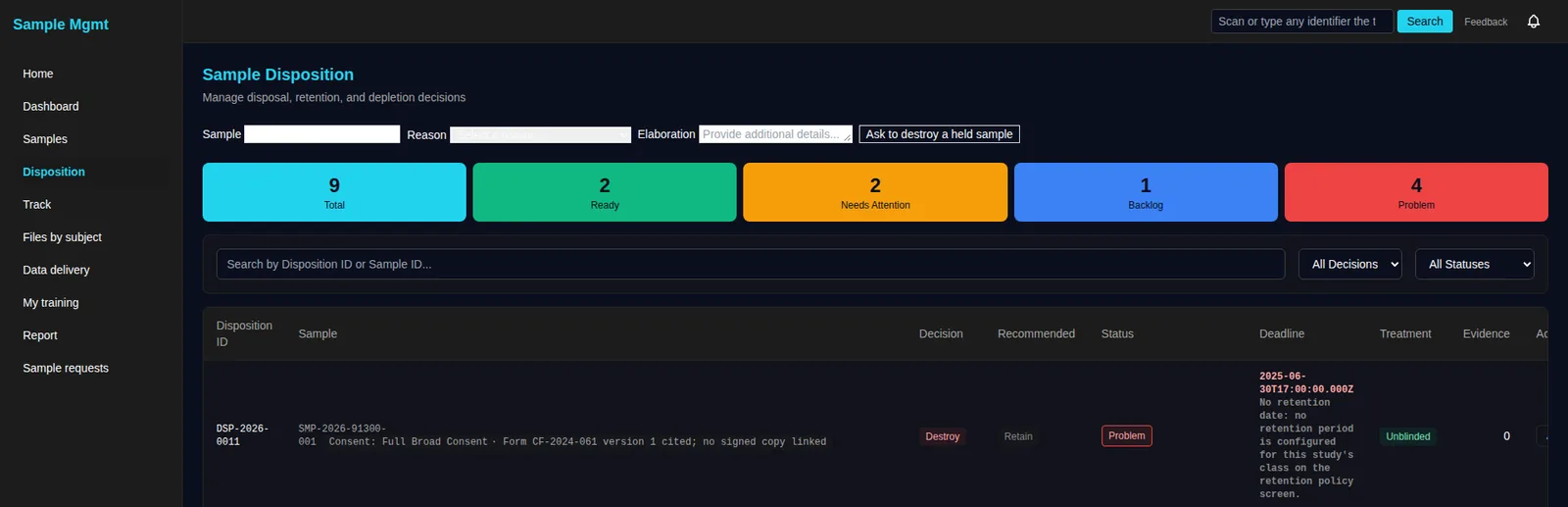
End-of-study decisions, with the evidence
Destroy, retain and deplete decisions sit beside the consent each sample was collected under and the retention period its study sets.
- A recommended decision beside the one taken
- Sign-off, and two people where your process asks for it
- Append-only, hash-chained event stream
- Every event attributable to a person and timestamp
- Evidence documents linked (manifests, approvals, reports)
- Exportable for audits and inspections
A complete, audit-ready history for every sample.
The custody timeline composes audit events, distribution, and disposition into one report — from receipt through final disposition — with ALCOA+ principles documented per event and evidence documents linked.
The first application on a platform you can keep building on
Sample Management runs on the LabMission platform, so the next thing your lab needs is a connection, a query, a dashboard or a workbench away, built by your team or drafted by an agent.
Read it before you talk to us.
Validation, configuration and daily use, published in full. No form to fill in and no sales call first.
Validation Guide
How the system is built and tested, what evidence ships with every release, and how your validation team engages with us.
Configuration Guide
Study configuration, access and roles, the closure workflow, and system health monitoring.
User Guide
The daily workflow: receiving, tracking, distribution, reconciliation and disposition.
See your sample lifecycle running on LabMission.
We'll walk your workflows end to end, from manifest to disposition.