
The lab platform for sample management, LIMS and lab operations
Applications your lab runs from day one, on an enterprise platform that your team, your AI agents, or both can configure, connect and extend, with every change governed and on the record.
- Sample Management
- LIMS
- Lab Operations
- Biobanking
- MCP server
- Workbenches
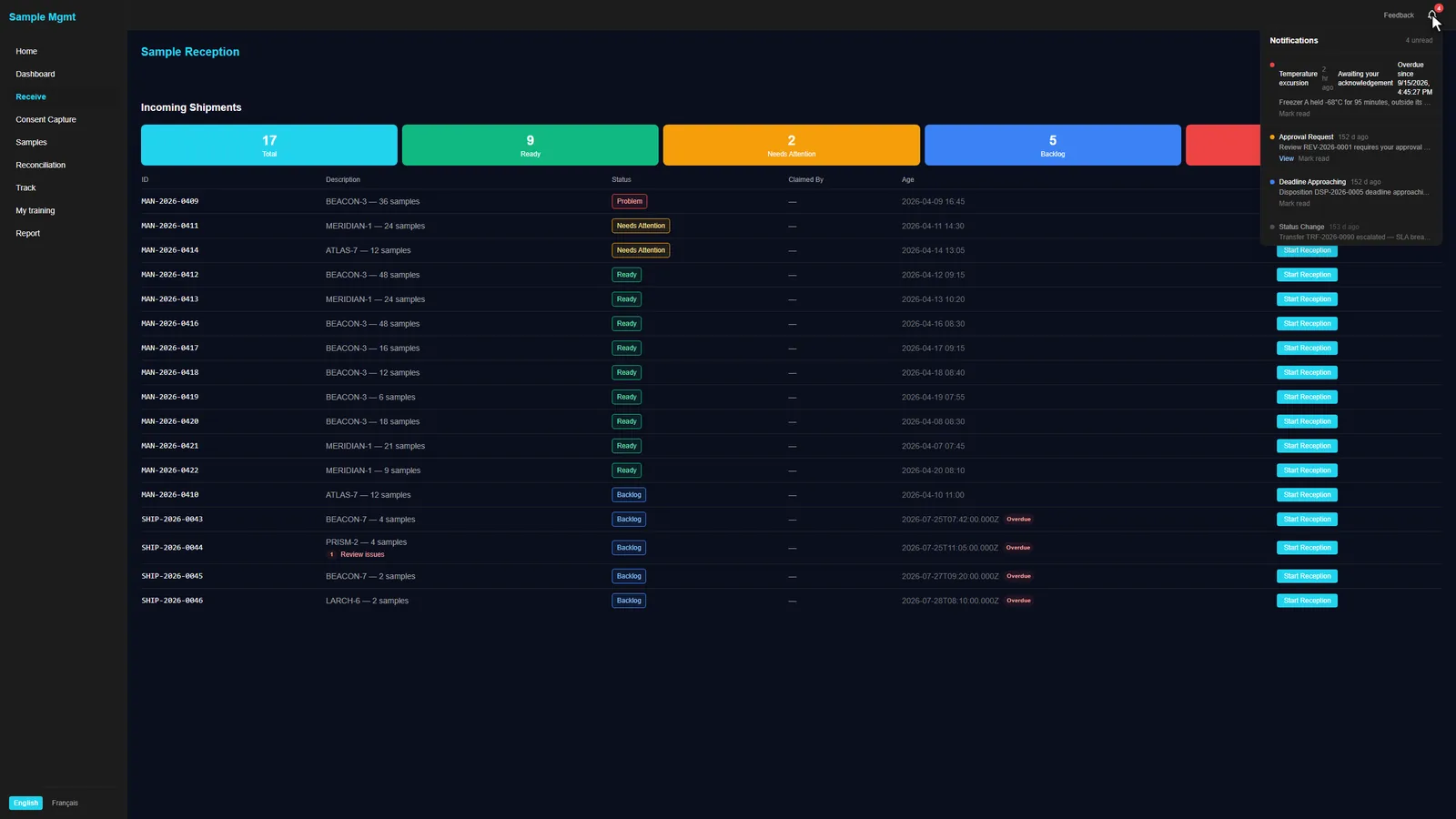
Applications for the work your lab does today
Each application runs a real workflow from the first day, and each one sits on the same platform, so a sample, an instrument reading and an audit event mean the same thing everywhere.
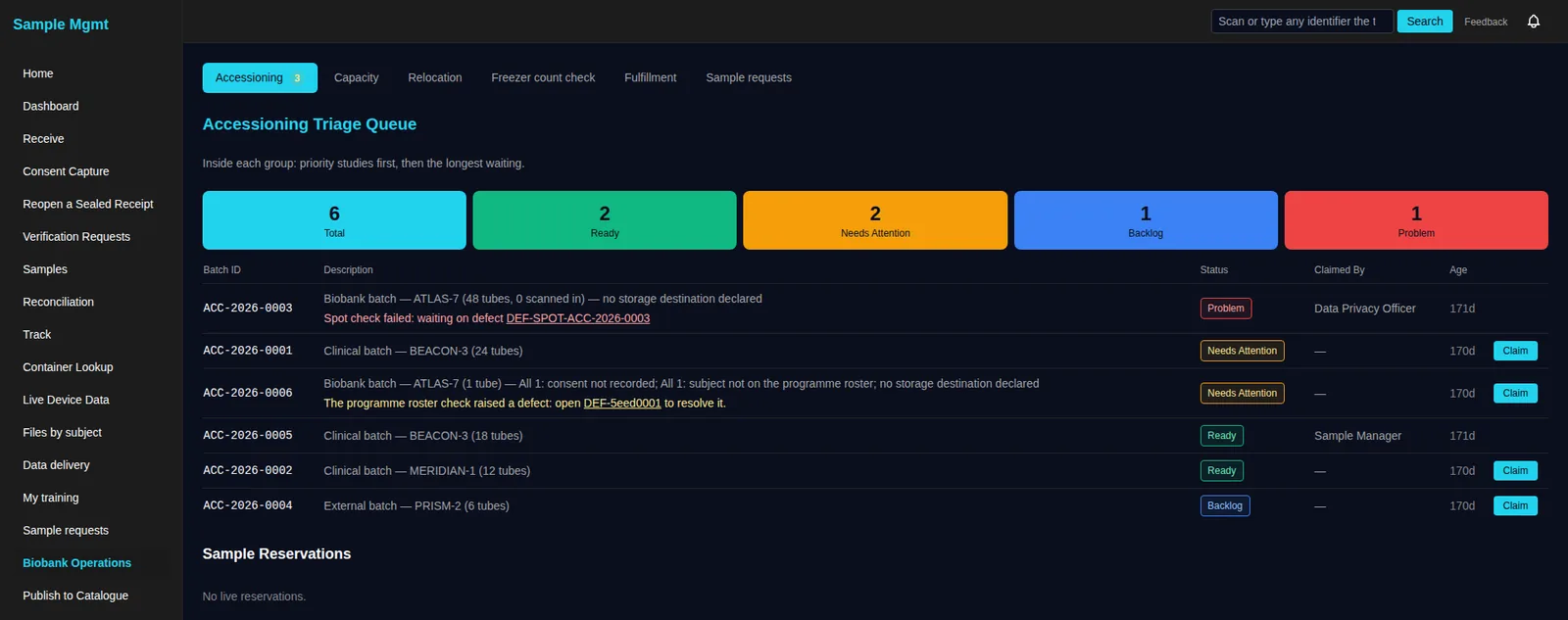
Sample Management
Manifest to disposition: reception, accessioning, storage, transfers, returns and chain of custody.
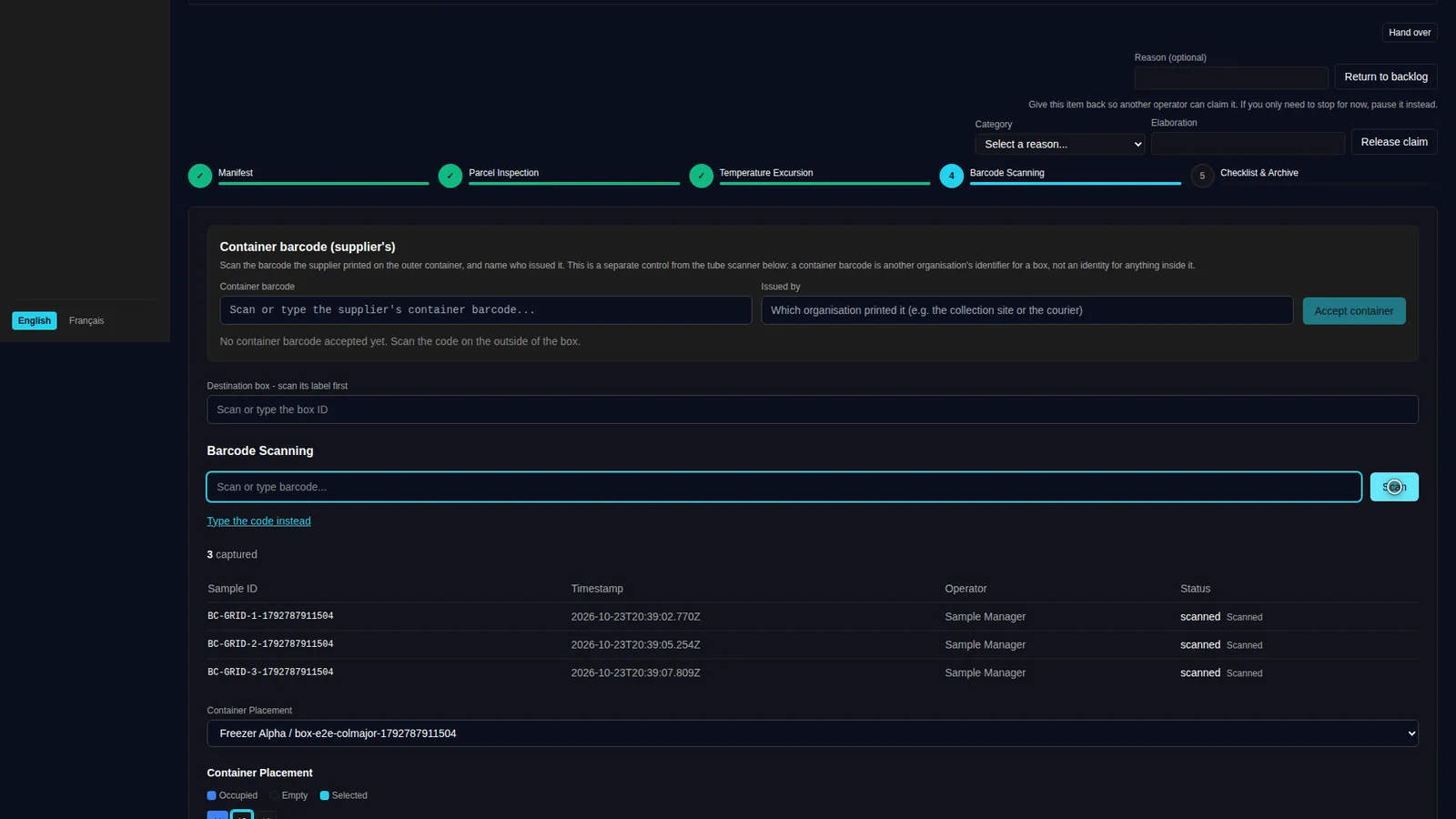
LIMS
Instruments, devices and data sources write results onto the sample record, mapped and validated on arrival.
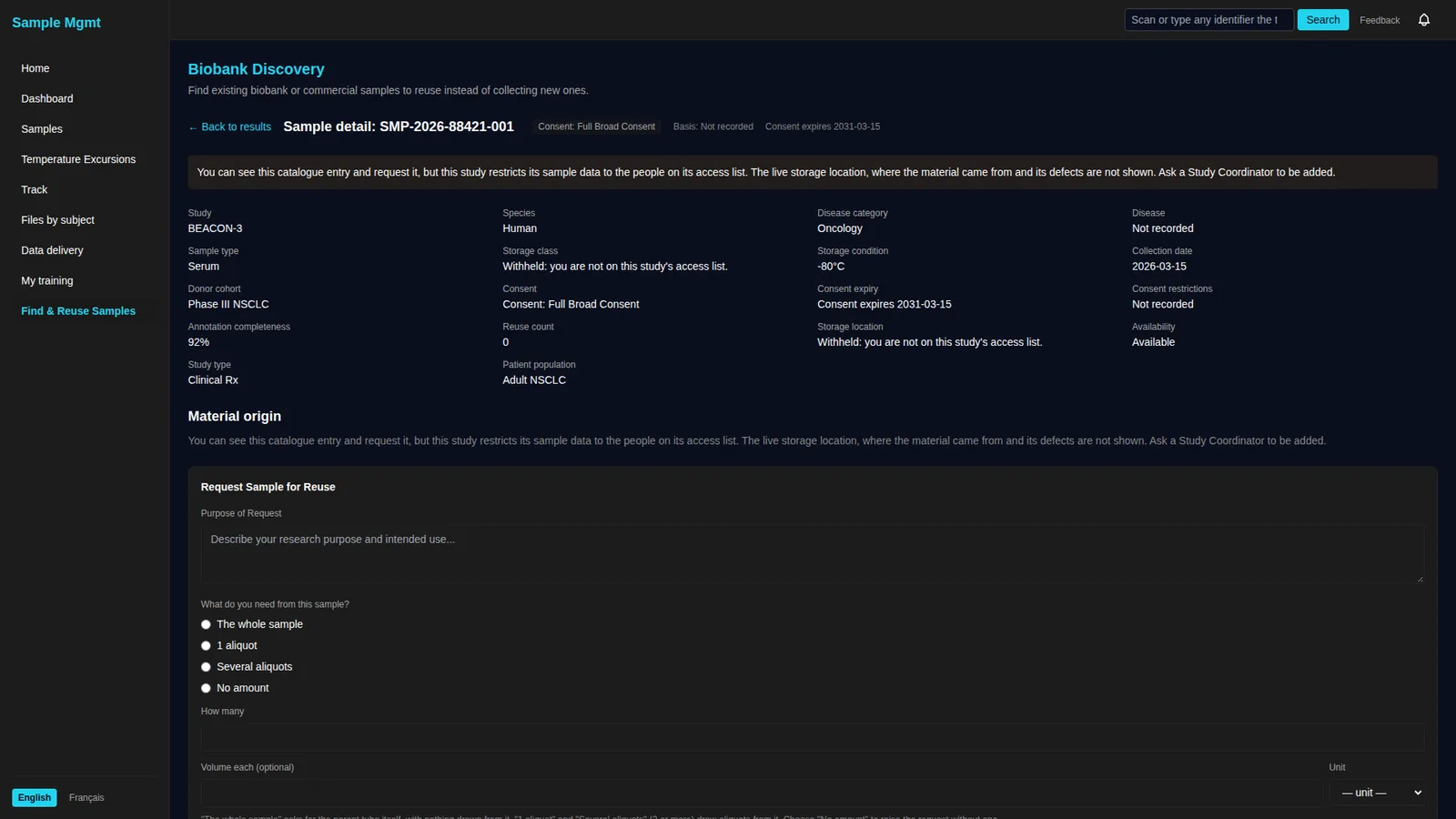
Biobanking
A searchable catalogue with consent built in, from accessioning to long-term storage.
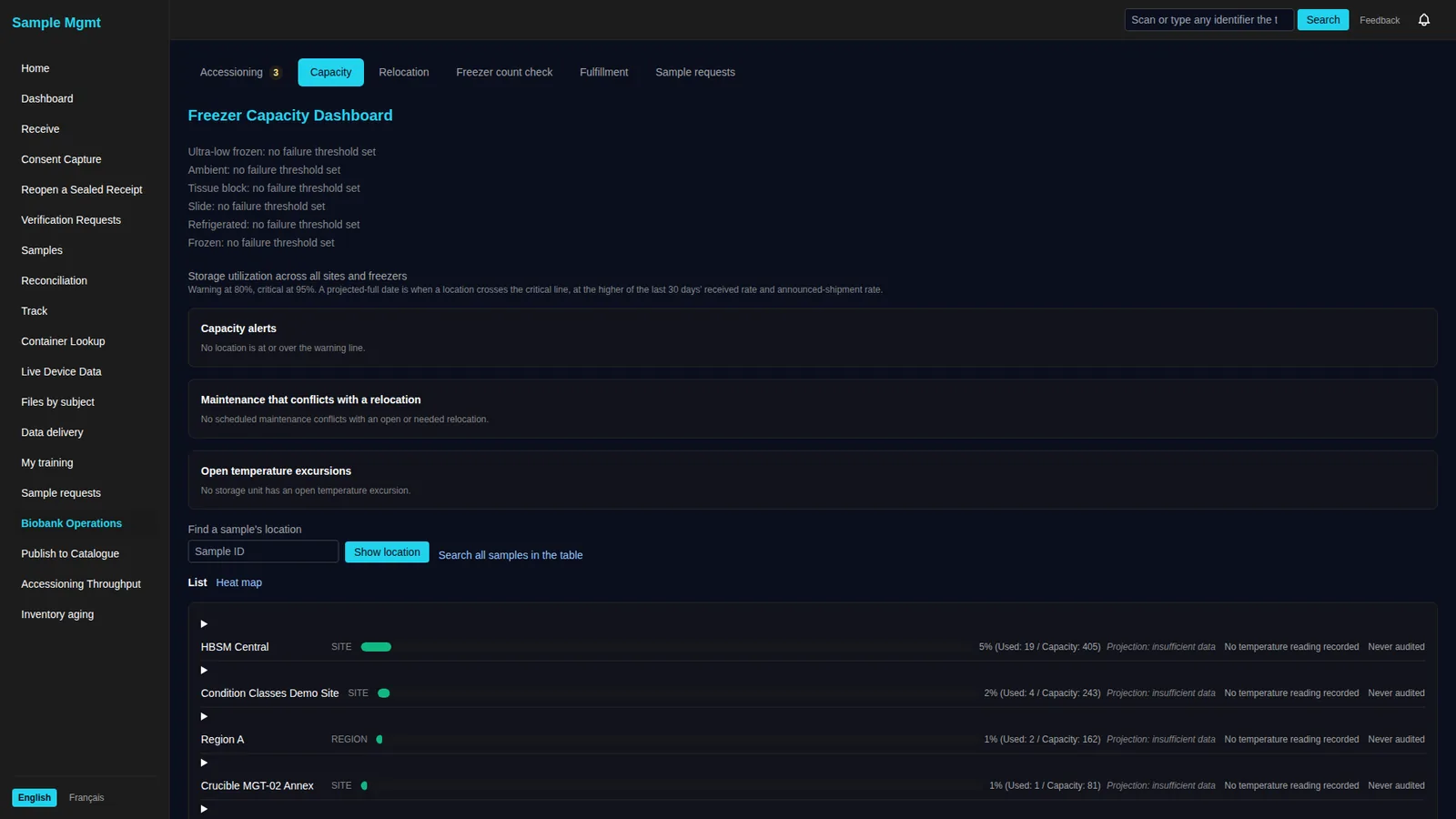
Lab Operations
Freezer conditions, capacity, equipment and live device streams, tied to the samples inside.
Applications on top. A governed platform underneath.
The applications are where your lab starts. The platform under them is what lets LabMission grow into whatever your lab needs next: new instruments, new studies, new sites, new tools.
- PeopleThe canvas and the applications
- AI agentsThe MCP server
- CodeThe API, SDK and workbenches
All three work through the same proposals, rights and record.
- Connections
- API sources
- Simulators
- Files & manifests
- Live streams
- Queries
- Data stores
- History & export
- Surfaces
- Interfaces
- Agents
- Workbenches
- Provenance
- Access rights
- E-signatures
- Change control
Start with sample management. Keep building.
Sample management is the first application, not the edge of the product. The same workspace that runs it is where your lab adds what it needs next, without a separate project or a separate system.
- 1Connect a new plate reader, freezer or robot as configuration
- 2Add a study type, a site or a workflow as a setup, not a release
- 3Build a dashboard over any query, and publish the query as an API
- 4Package your own code as a workbench and run it in your workspace
- 5Bring the LIMS, ELN and data stores you already run into one record
Your team or an AI agent can design, build and maintain it
Everything in LabMission can be done by hand. An AI agent can do the same work through the MCP server, and its changes arrive as proposals. AI is optional, and it is switched off until you turn it on.
Your team builds it
Configure studies, connections, queries and dashboards on the canvas and in the applications. No AI required.
An agent builds it
An AI agent reads the workspace through the MCP server and drafts the integration, query or surface as a proposal.
Both, together
Ask for a change in plain language, adjust what the agent drafted, then approve it like any other change.
- 1Draft
- 2Review
- 3Approve & sign
- 4Deploy
- 5On the record
One path to production, whoever drafted the change.
What an AI agent does on LabMission
An agent signs in through the MCP server with the rights you give it. It reads the workspace, queries and streams the data, and drafts new integrations, queries and dashboards. A person approves each one before it changes anything.
- Works with Claude, ChatGPT, Microsoft Copilot or your own agent
- Reads only what its rights allow, with secrets stripped
- Writes only proposals, which a person reviews and signs
- Every call and every change is on the record
- 01get_workspace_flow→14 nodes · 2 surfaces · 0 pending
- 02list_data_connections→Freezer B, PR-2, Courier tracking
- 03run_warm_queryfreezer_temps_24h→1,440 rows
- 04tail_telemetryfreezer-b · 60 s→60 readings, live
- 05manage_proposalscreate→#128 awaiting review
- Signed in as agent · rights: Biobank operator (read) + propose
- + connection Plate reader PR-2 (HTTP)
- + mapping PR-2 columns → sample, well, OD
- + query results_by_sample
- ~ surface Assay results (adds 1 panel)
What connects to LabMission, and where the data goes
Instruments, freezers, sensors, robots, couriers and the systems you already run feed one governed data stream. Applications, dashboards, agents and your own systems read from it.
The controls an enterprise lab platform needs
These belong to the platform, so every application, every agent and every workbench inherits them.
Workspaces and teams
A workspace per tenant, with teams and members you manage.
Access rights
Rights, configurations of rights, and the people who hold them, down to which tables someone can read.
Your identity provider
Sign-in through your own directory. No passwords held here.
Provenance
Every event, amendment and signature hashed into a chain you can verify.
Electronic signatures
Six signature meanings, re-authentication before signing, and two-person approval.
Change control
Drafts, proposals, commits and deploy runs, with the history of each.
Immutable retention
Records kept in locked, extend-only storage, for periods up to 400 years.
Your cloud
Evaluation, fully managed, or in your own cloud subscription with a landing zone.
APIs and SDK
A REST API with a generated OpenAPI spec, a TypeScript SDK and API keys.
Health and telemetry
Health and inventory for every resource, and telemetry your tools can read.
Archive and restore
Data archives and restore, and export of anything, at any time.
Governed AI
The same rights, proposals and record for agents as for people.
See LabMission running
We'll walk your sample lifecycle in the application, then show the platform underneath: the connections, the queries, an agent's proposal, and the record it leaves.